Table of Contents
Introduction
As WordPress keeps advancing in 2025, building a beautiful, high-performing website has become easier than ever—even if you have zero coding skills. Thanks to modern drag and drop WordPress builder, users can visually design pages using simple blocks and elements, instead of writing HTML or CSS. This has opened the doors for beginners, marketers, agencies, and developers to build professional websites in a fraction of the time it used to take.
However, with so many page builders competing for your attention, it can be difficult to figure out which one actually delivers the best value. Some offer more design freedom, while others focus on speed and performance. As a result, choosing the wrong tool could lead to slow page load times, compatibility problems, or unnecessary costs.
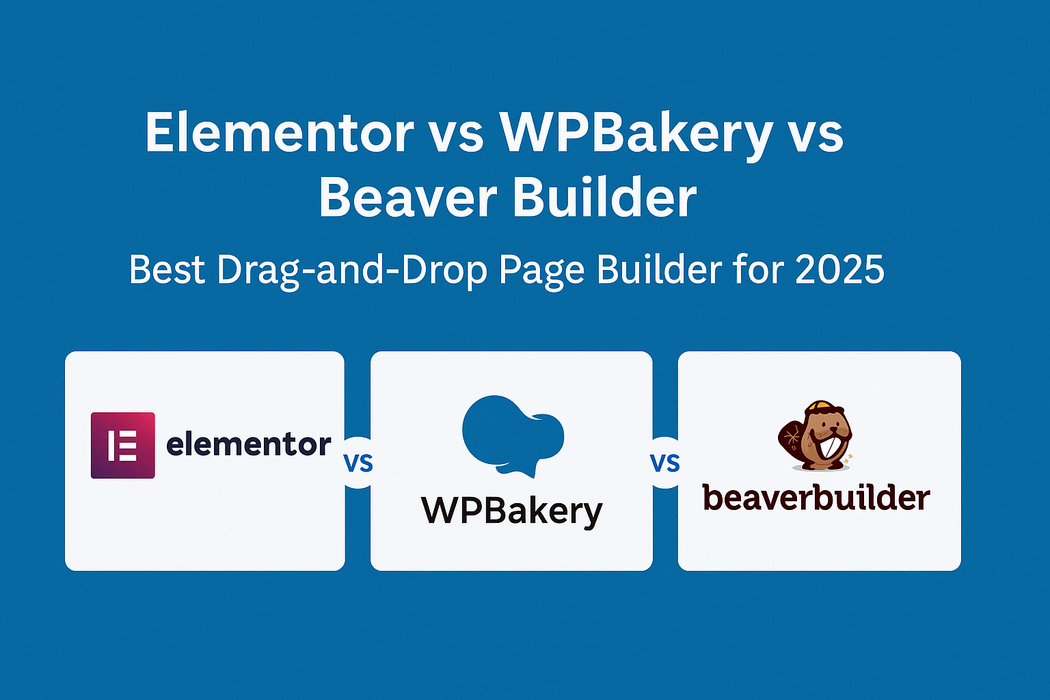
To save you time (and frustration), we’ve compared the three most popular WordPress page builders in 2025—Elementor vs WPBakery vs Beaver Builder. In this post, you’ll discover how each builder performs in real-world scenarios, how easy they are to use, how much they cost, and which use cases they’re best suited for. By the end, you’ll know exactly which option is the best WordPress page builder 2025 for your needs.
🔍 Quick Comparison Chart
Here’s the information converted into a table format:
| Feature | Elementor | WPBakery | Beaver Builder |
|---|---|---|---|
| Interface | Live frontend editing | Backend + limited frontend | Clean frontend editing |
| Ease of Use | Very beginner-friendly | Slight learning curve | Simple and intuitive |
| Performance | Medium (can be heavy) | Can slow down site | Lightweight and fast |
| Theme Compatibility | Works with most themes | Some issues with modern FSE themes | Excellent compatibility |
| Widgets/Modules | 100+ widgets + Add-ons | 50+ built-in | 30+ with extensions |
| Pricing (Starts At) | $59/year | $59/year | $99/year |
| Free Version | Yes (Elementor Free) | No | Yes (Lite version) |
| WooCommerce Support | Excellent | Moderate | Good |
| Support & Updates | Fast, large community | Slower updates | Responsive support |
| Best For | Designers, marketers | Legacy WP users | Agencies, devs, simplicity |
🧰 1. Elementor
🔹 Overview
Elementor 2025 review: Elementor continues to dominate the WordPress market in 2025 with more than 15 million active installs. Its popularity comes from a perfect balance of ease of use and creative flexibility. With its clean, intuitive visual interface, even total beginners can drag and drop sections into place and build professional-looking pages in minutes. At the same time, advanced users appreciate the ability to use custom CSS, flexbox containers, and motion effects to create highly dynamic layouts that feel custom-coded.
What truly sets Elementor apart is its massive template ecosystem. You get access to hundreds of professionally designed blocks, full-page templates, and ready-to-use wireframes for virtually any niche—saving you hours of design time.
✅ Pros
- Real-time Drag-and-Drop Editor that lets you see changes instantly as you build.
- Extensive Widget Library with over 100 elements covering everything from basic text and image blocks to pricing tables, forms, sliders, and call-to-action sections.
- Advanced Design Controls including motion effects, parallax scrolling, shape dividers, and custom responsive layouts.
- Huge Community + Support Ecosystem with tutorials, templates, and third-party add-on packs.
- Seamless Integration with WooCommerce and All Major WordPress Themes
❌ Cons
- Can impact site performance if you use too many widgets or animations without optimization.
- Premium features such as Theme Builder, Popup Builder, and custom code require the Pro version.
- Some layouts are highly dependent on Elementor’s structure, which can cause design limitations if you disable the plugin later.
💰 Pricing in 2025
| Plan | Price | Features |
|---|---|---|
| Free | $0 | Core drag-and-drop editor + basic elements |
| Pro (1 site) | $59/year | Theme Builder, Popup Builder, motion effects, full widget library |
| Agency (Up to 1000 sites) | $399/year | All pro features + premium support and advanced collaboration tools |
🧰 2. WPBakery Page Builder
🔹 Overview
WPBakery is one of the oldest and most widely distributed page builders in the WordPress ecosystem. It’s bundled with thousands of premium themes on marketplaces like ThemeForest, which is why it still powers a huge number of legacy websites in 2025. Unlike Elementor and Beaver Builder, WPBakery offers both backend editing (inside the dashboard) and frontend visual editing, making it familiar to long-time WordPress users.
That said, the interface is starting to feel a bit dated, especially compared to modern block-based design tools. It still relies heavily on shortcodes, which means if you deactivate the plugin, your pages may become filled with messy code — an important point to keep in mind before choosing it for long-term use.
✅ Pros
- Backend + Frontend Editing modes let you choose between traditional and visual design workflows.
- Large Template Library with pre-made layouts, rows, and content blocks.
- Bundled With Many Premium Themes, which means you often get it for free if you purchase a theme on Envato.
- Works with most classic WordPress themes and has strong compatibility with legacy environments.
❌ Cons
- User interface feels outdated compared to modern builders.
- Can slow down your website due to shortcode-based output and extra scripts.
- No free version available — paid license required even for basic use.
- Not fully compatible with newer Full Site Editing (FSE) block themes.
💰 Pricing in 2025
| License Type | Price | Notes |
|---|---|---|
| Regular License | $59 (one-time) | Use on 1 website, includes 6 months of support |
| Extended License | $299 | Use in a theme for sale (developers only) |
Many users are questioning WPBakery performance 2025, as the builder still relies on shortcode-based layouts that can impact loading speed.
🧰 3. Beaver Builder
🔹 Overview
Beaver Builder may not be as flashy as Elementor, but it is widely considered the most stable and developer-friendly page builder in the WordPress ecosystem. In 2025, it remains a top choice for agencies and freelancers who build multiple client websites and need a clean, lightweight, and reliable tool. It focuses on performance and consistent output, producing highly optimized HTML that doesn’t slow down your site or break when the plugin is disabled.
Unlike many visual builders, Beaver Builder plays nicely with both classic themes and block-based (FSE) themes, which makes it a safe long-term investment—especially if you want to gradually transition into Full Site Editing. It also offers white-label functionality, making it ideal for agencies who want to brand the page builder as their own.
✅ Pros
- Clean and Optimized Code Output, resulting in fast page load times and stronger SEO scores.
- Very Stable and Reliable — updates rarely break designs, which is why agencies love it.
- Compatible with Block Themes (FSE) and traditional themes, making it future-proof.
- Simple Drag-and-Drop Interface that’s easy to use and doesn’t overwhelm beginners.
- White-Label Support for freelancers and agencies who want to rebrand the builder for clients.
❌ Cons
- Fewer design widgets compared to Elementor (may require add-on packs for advanced effects).
- Templates are clean but basic, making it less attractive for users who want flashy designs.
- The starting price is slightly higher than competing builders.
💰 Pricing in 2025
| Plan | Price | Features |
|---|---|---|
| Lite (Free) | $0 | Basic frontend editor + limited modules |
| Standard | $99/year | Full page builder + premium modules + 1 year support |
| Pro | $199/year | Multisite support + Beaver Builder Theme + premium templates |
| Agency | $399/year | Everything in Pro + white-labeling features |
🔎 Side-by-Side Summary
When comparing Elementor, WPBakery, and Beaver Builder side-by-side, the core differences become clear. Elementor excels in design flexibility and ease-of-use, making it ideal for beginners, content creators, and creative businesses that want visually impressive pages with minimal effort. WPBakery, while still widely used, is better suited for legacy projects and older themes—especially those purchased through marketplaces where the plugin is bundled by default.
Beaver Builder stands out for its clean code and long-term reliability. It may have fewer flashy effects than Elementor, but its lightweight structure and full compatibility with classic and block themes make it the preferred option for agencies, developers, and users who care about performance and future scalability.
✅ Recommended For…
| Page Builder | Best Suited For |
|---|---|
| Elementor | Beginners, creatives, bloggers, small businesses, users who want highly visual designs and lots of pre-built templates |
| WPBakery | Legacy sites, users working with older premium themes (especially from ThemeForest), projects that already rely on shortcode-based layouts |
| Beaver Builder | Agencies, freelancers, developers, and anyone who prioritizes fast performance, clean code, and long-term compatibility with WordPress and FSE |
Page Builder Performance Benchmark (2025 Test)
Comparison of popular WordPress page builders based on page load time, page size, number of requests, and GTmetrix scores
Test Environment: Default pages with minimal plugins on a basic shared hosting
| Page Builder | Page Load Time | Page Size | Requests | GTmetrix Score |
|---|---|---|---|---|
Elementor |
2.1s | 1.5 MB | 52 | B (84%) |
WPBakery |
2.6s | 1.8 MB | 60 | C (77%) |
Beaver Builder BEST PERFORMANCE |
1.4s | 1.1 MB | 40 | A (92%) |
Performance Insights
Beaver Builder shows the best overall performance with the fastest load time, smallest page size, and fewest requests.
Elementor offers a good balance between features and performance.
WPBakery has the largest resource footprint in this test.
Recommendations
For performance-critical sites: Consider Beaver Builder
For feature-rich sites: Elementor provides good performance with extensive features
Always test with your own content and hosting environment
Conclusion
While Beaver Builder performed best in this specific test, the ideal page builder choice depends on your specific needs, including design requirements, ease of use, and compatibility with your theme and plugins. Performance should be one of several factors considered when selecting a page builder for your WordPress site.
🧑💻 Use Case Recommendations
Not every page builder fits every situation. Here’s a quick guide to help you choose the best tool based on your specific needs and project type:
| Use Case | Recommended Builder | Why |
|---|---|---|
| Blogging & Small Business Sites | Elementor (Free or Pro) | Provides excellent design flexibility and ready-made templates with zero coding required. |
| Large, Content-Heavy Websites | Beaver Builder | Lightweight code and strong performance make it perfect for websites with lots of pages. |
| Clients with Pre-Built Envato Themes | WPBakery | Most ThemeForest templates are built around WPBakery, ensuring compatibility and faster setup. |
| Agencies / White-Label Projects | Beaver Builder (Agency) | White-label support and excellent stability make it ideal for client work and service packages. |
| Complete Beginners / First-Time Users | Elementor Free | Beginner-friendly interface and drag-and-drop features make it a perfect starting point. |
🔮 What to Expect in 2025 and Beyond
The WordPress page builder landscape continues to evolve—and each of the major tools is moving in a slightly different direction. Here’s what you can expect going forward:
- Elementor: Elementor is investing heavily in AI-powered design assistance, allowing users to automatically generate layouts and page sections from keywords or prompts. Their new flexbox-based container system also improves speed and responsive control, replacing the older section/column structure.
- WPBakery: Although WPBakery is slowly modernizing its interface, it still relies heavily on shortcode output and classic themes. For that reason, many developers are migrating toward more future-proof tools that are fully compatible with block-based themes and Full Site Editing.
- Beaver Builder: Beaver Builder continues to focus on long-term stability. The development roadmap includes stronger integration with Gutenberg and FSE-compatible themes, allowing users to combine Beaver layouts with native WordPress blocks seamlessly.
Final Recommendation: If future-proofing is your main priority, we recommend choosing either Elementor (for flexibility and AI-ready design features) or Beaver Builder (for long-term stability and seamless compatibility with WordPress FSE). Both tools are fully aligned with the direction WordPress is moving in 2025 and beyond.
Frequently Asked Questions – Full Site Editing in WordPress (2025)
Below are some common People Also Ask questions about full site editing WordPress, block themes WordPress 2025 and how to use the new WordPress site editor.
Still have questions about how to use full site editing? Visit wordpressgurupro.com for more tips, tutorials and updates on block themes WordPress 2025 and FSE.
✅ Conclusion: Which is the Best WordPress Page Builder in 2025?
Choosing the right page builder in 2025 isn’t just about visual design—it’s about performance, flexibility, and long-term scalability. Elementor stands out as the most feature-rich and beginner-friendly option, with a massive template library and powerful design controls. Beaver Builder shines when it comes to clean code, performance, and agency workflows, making it ideal for users who build multiple client sites and want something stable and lightweight. WPBakery still has its place, especially for those using older premium themes on Envato, but it feels less future-focused compared to the other two.
At the end of the day, the best WordPress page builder in 2025 will depend on your goals:
- Want fast drag-and-drop design and tons of templates? ➜ Elementor
- Need long-term reliability and fast-loading websites? ➜ Beaver Builder
- Working with legacy themes and older projects? ➜ WPBakery
No matter which one you choose, remember that all three can help you build stunning websites without any coding, as long as you use them properly and optimize your pages for speed.
Ready to build your dream website with the perfect page builder?
👉 Explore our step-by-step tutorials or get in touch for help setting up Elementor, Beaver Builder, or WPBakery on your site at wordpressgurupro.com!
🚀 Launch Your Online Dreams with Hostinger!
The information provided on this website is for general informational purposes only. While we strive to keep the content accurate and up-to-date, we make no guarantees of any kind about the completeness, reliability, or suitability of the information. Any action you take based on the information on this website is strictly at your own risk.
💲 Affiliate Disclosure:Some of the links in this post may be affiliate links. This means we may earn a small commission if you click on the link and make a purchase, at no additional cost to you. This helps support our work and allows us to continue providing quality content. We only recommend products or services we believe will add value to our readers.
✨ Connect with Us ✨
Stay updated with our latest WordPress guides, SEO tips, and AI tools. Follow us on social media or reach out via email!
 Website
 Facebook
 LinkedIn
 X (Twitter)
 Email
Email
 Contact

You May Also Like:
Explore more powerful insights to level up your WordPress and SEO game:


💡 Keep exploring insightful tips and strategies at WordPressGuruPro.com